B2B daily wholesale ordering

Stores order in a minute. Wholesalers fulfil from one queue.

SupplyDay connects retail stores with their wholesalers: a store app for daily orders, and a wholesaler app plus web dashboard for the catalogue, orders, stores and the field team. No more phone calls, chat lists or paper notes.

Android & iOS apps · Web dashboard for wholesalers · Accounts are created by your wholesaler or the SupplyDay team, there is no self sign-up.
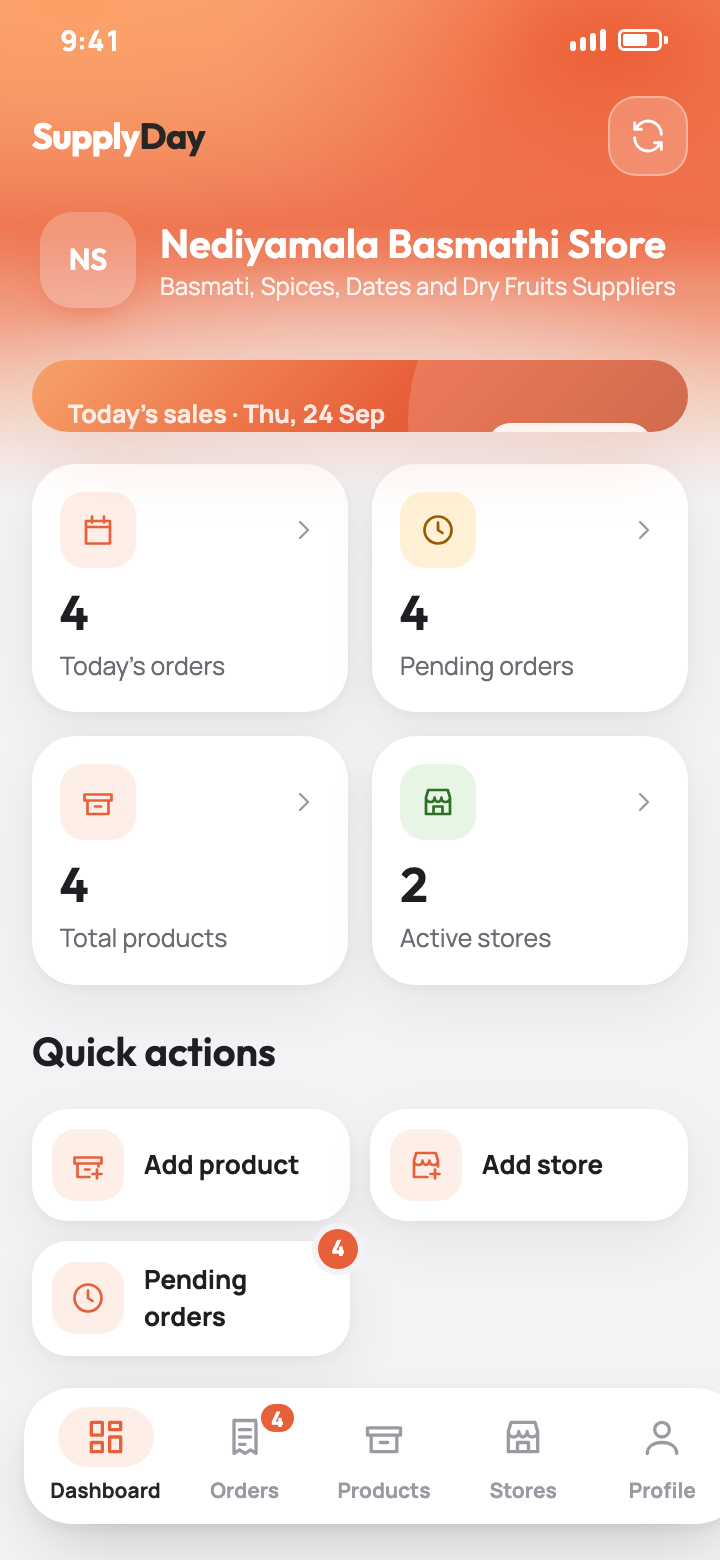
SupplyDayW wholesaler dashboard
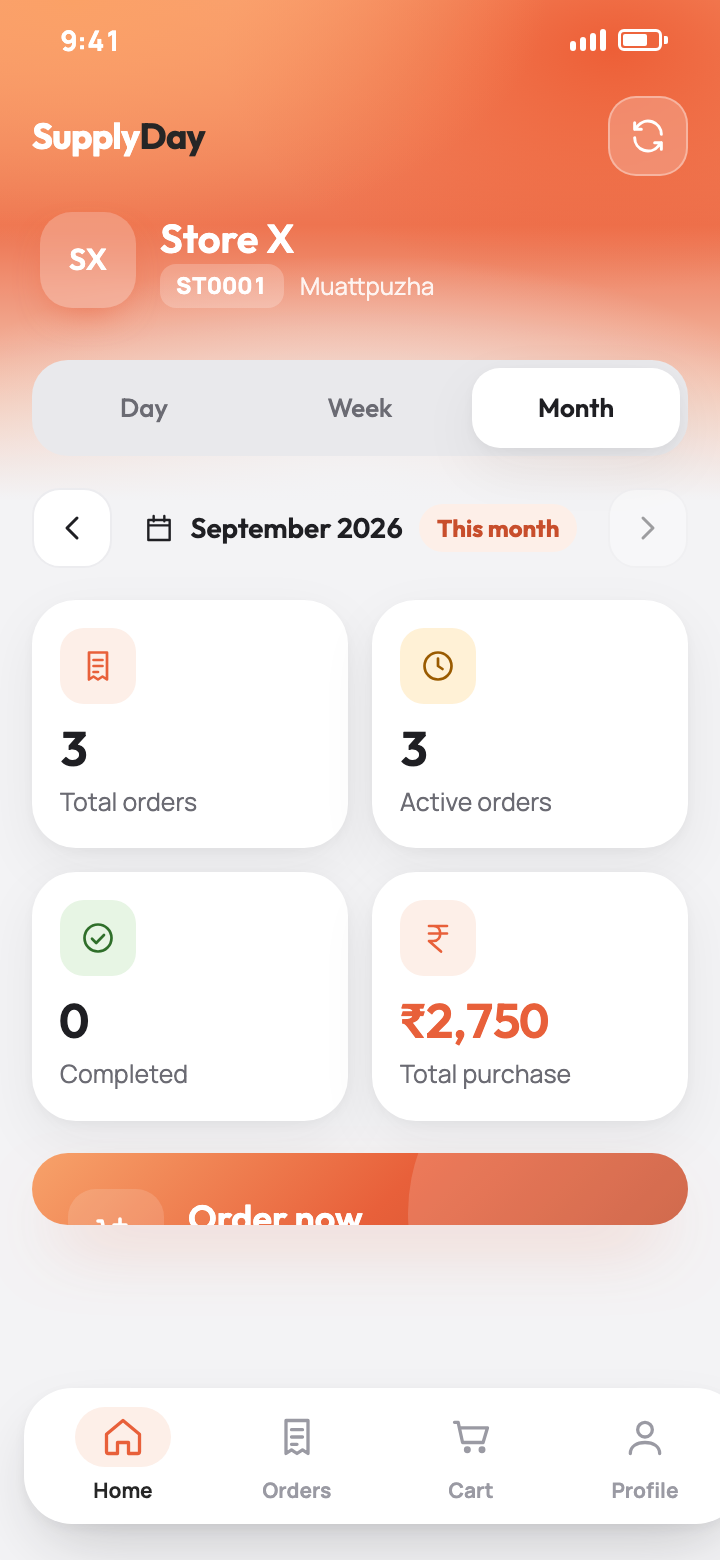
SupplyDay store home screen

One platform, three surfaces

Every order, product, store and salesman lives in one backend. Each role gets a surface built for its job.

🏪

SupplyDay · Store app

For retail stores and the wholesaler's salesmen in the field.

  • Browse the wholesaler's live catalogue
  • Cart, delivery date, review, place
  • Track every order and reorder
  • Salesmen punch visits and order for stores
📦

SupplyDay · Wholesaler app

For the wholesaler's team on the move.

  • Products, prices and availability
  • Stores, salesmen and team logins
  • Order queue with a controlled status workflow
  • Live tracking, store visits and notifications
🖥️

SupplyDay Web · Wholesaler dashboard

The same wholesaler account, on a big screen.

  • Orders, products and stores side by side
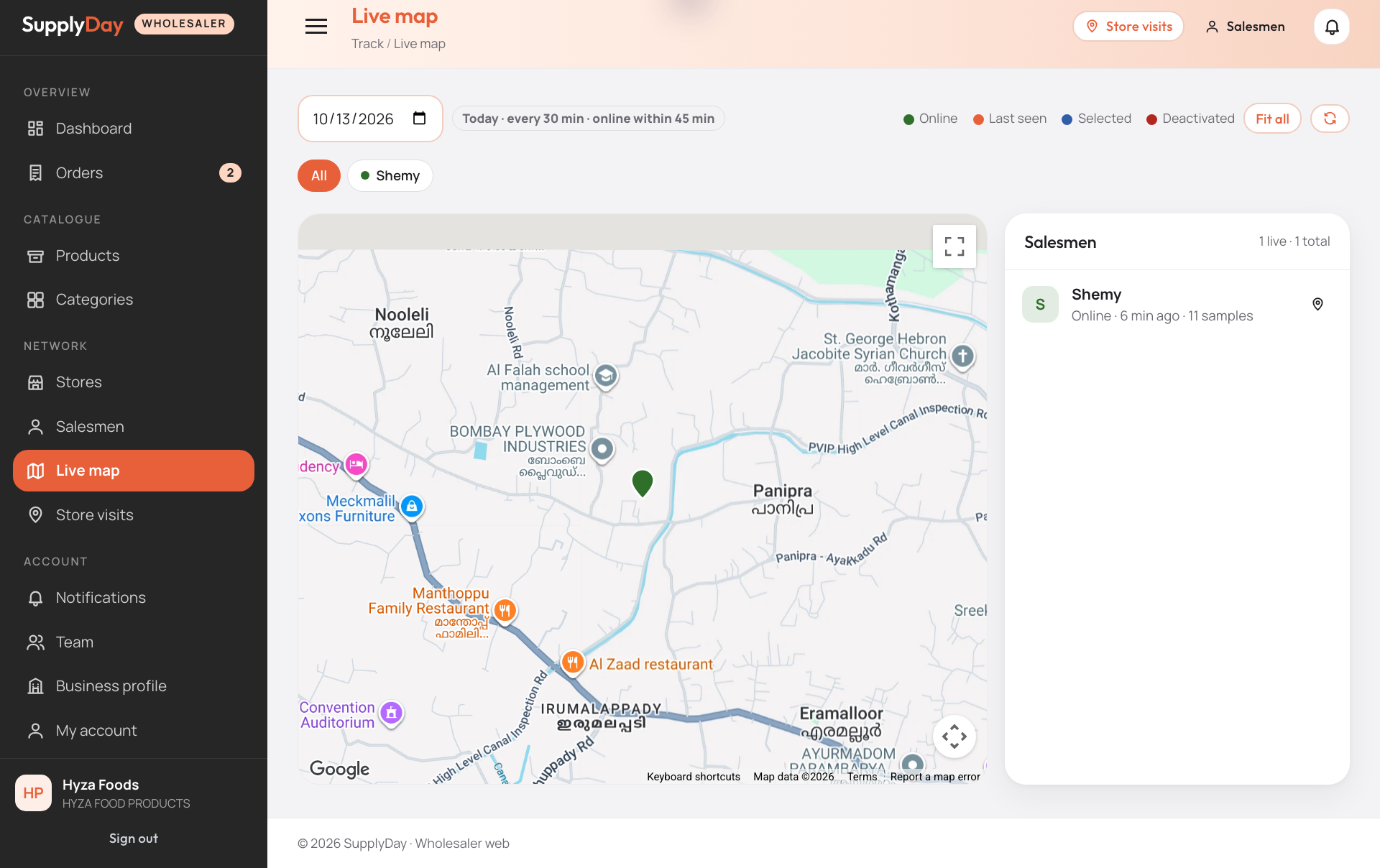
  • Live salesman map and visit log
  • Team, business profile and notifications
  • Works in any browser, nothing to install
Store app · SupplyDay

Browse, cart, delivery date, done

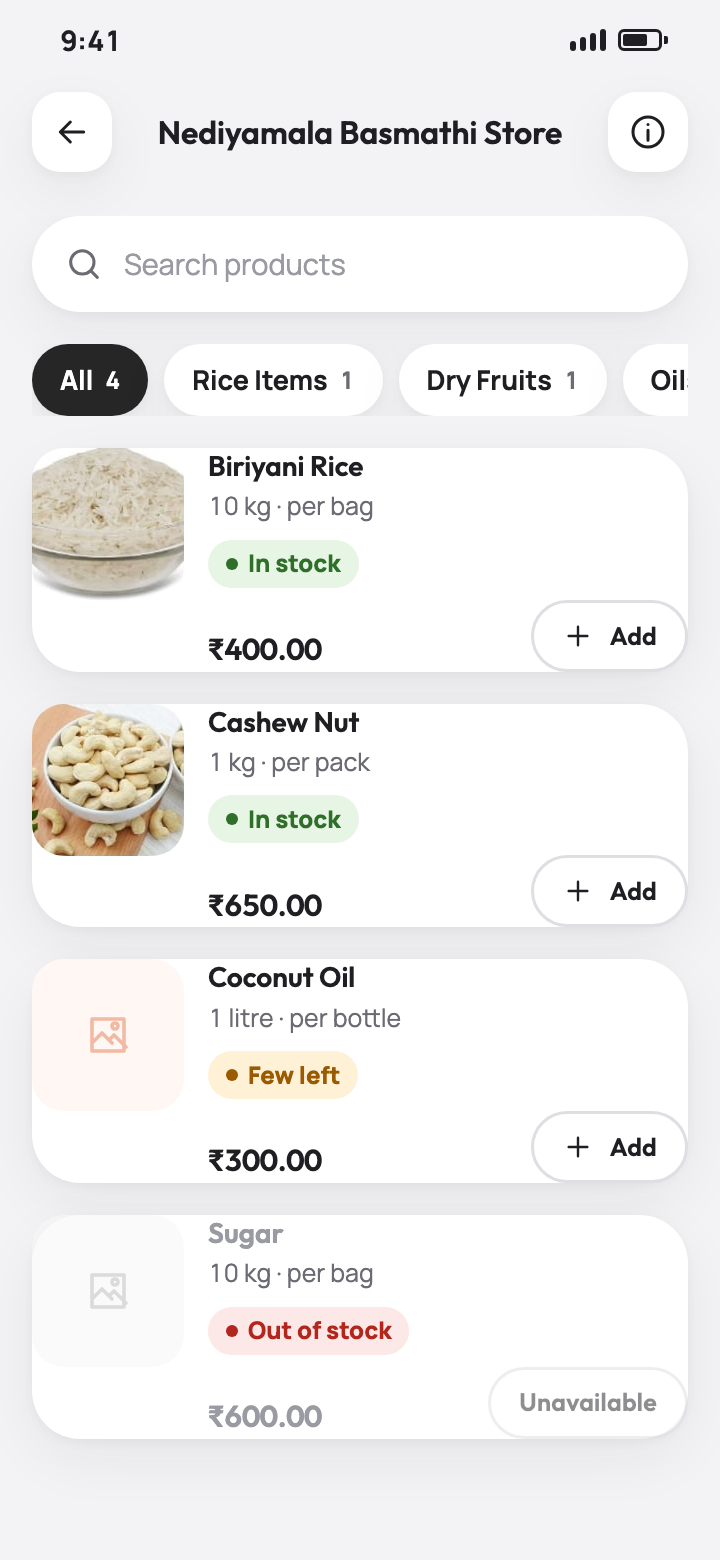
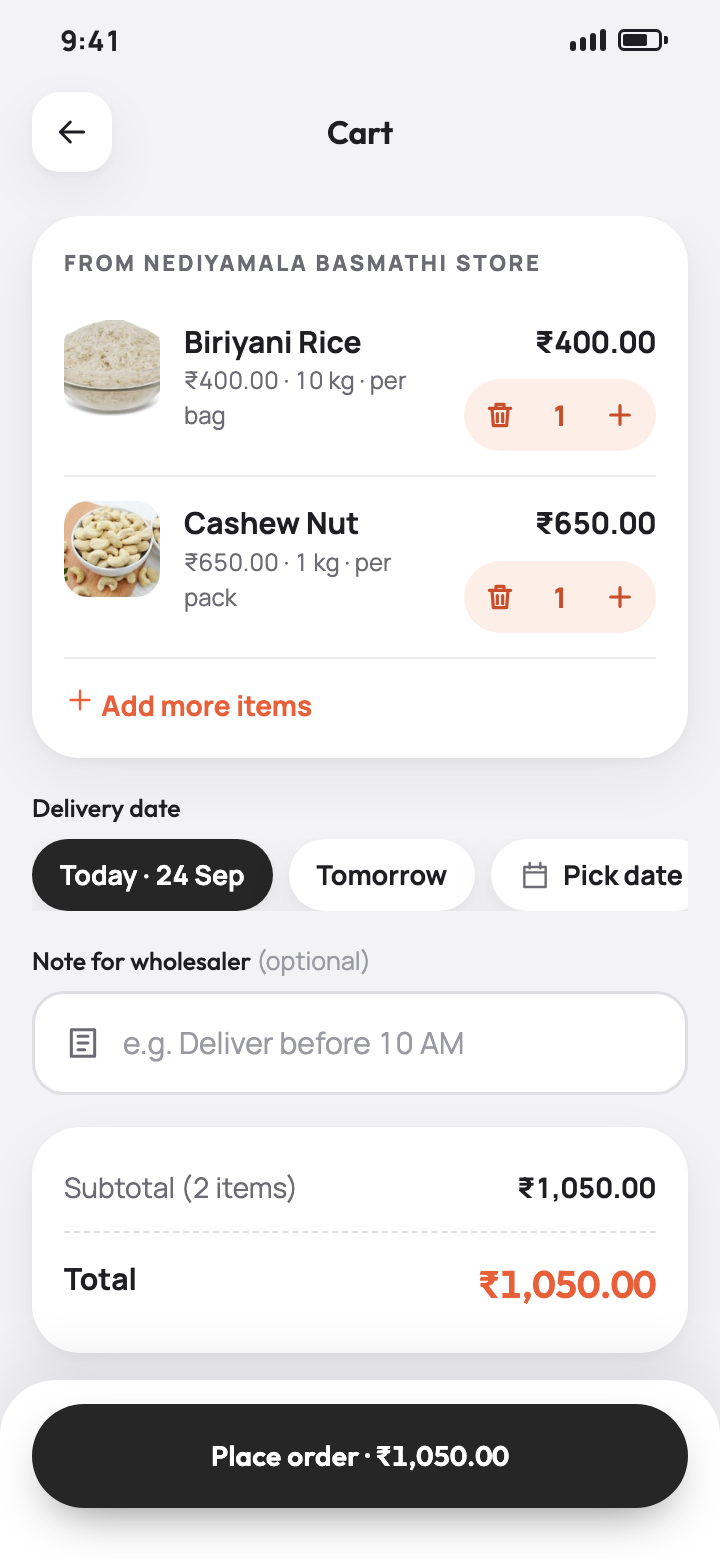
Stores see their wholesaler's live catalogue with photos, pack sizes, wholesale prices and availability. Add items to the cart, pick today or a later delivery date, add a note, review and place the order.

  • Search and category filters, live stock status
  • Cart is always for one wholesaler, kept between sessions
  • Minimum order amount shown before you place
  • Order confirmation with the order number and status
Browse products
Cart and checkout

Track every order, reorder in one tap

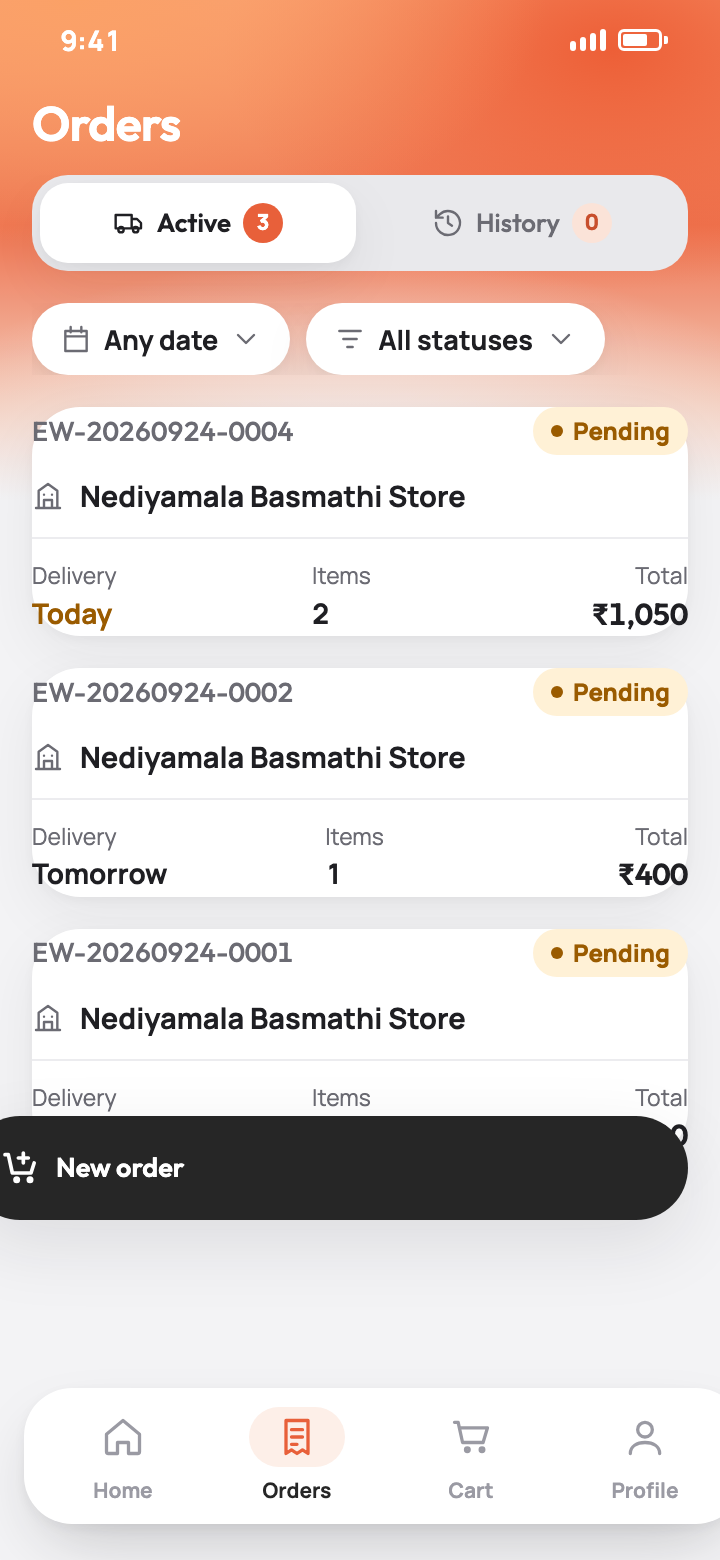
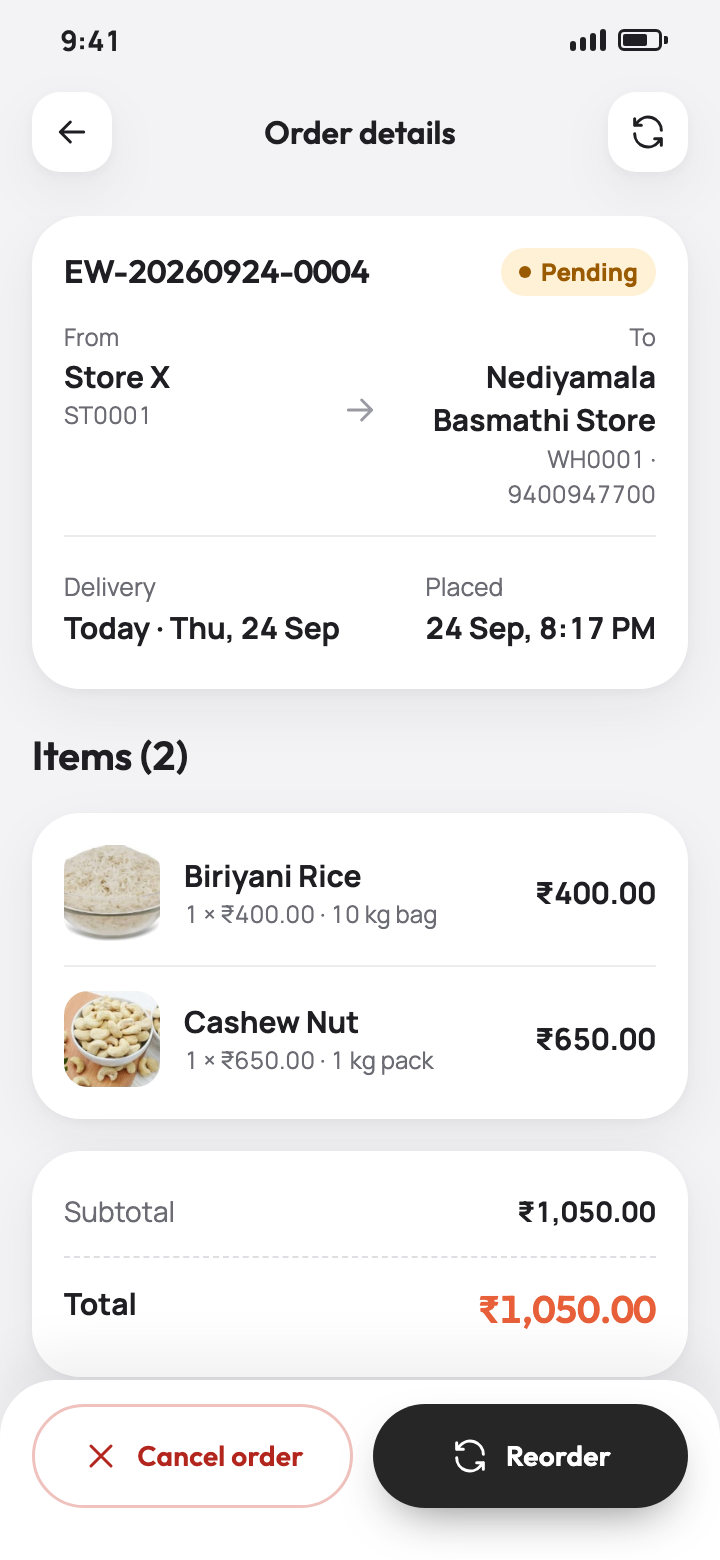
Active and history lists with filters, a status timeline from pending to delivered, cancellation while an order is still pending, and one-tap reorder of any past order. Home shows the day, week or month at a glance.

  • Day / week / month statistics: orders, active, completed, purchase value
  • Status timeline with who changed what and when
  • Store profile with the shop's saved location on a map
Orders
Order detail

Built for the wholesaler's field team

Salesmen use the same app with their own login. They pick the store they are visiting (a single assigned store is selected for them), confirm it before every order, punch the visit with their GPS position and the distance from the store, and can register or edit stores on the spot. Their position is shared with the wholesaler at an interval set by the operator while the app is open. Store accounts are never tracked.

At store · 60 m  2.3 km away  Ordering for Store X
Wholesaler app · SupplyDay

One queue for every store's orders

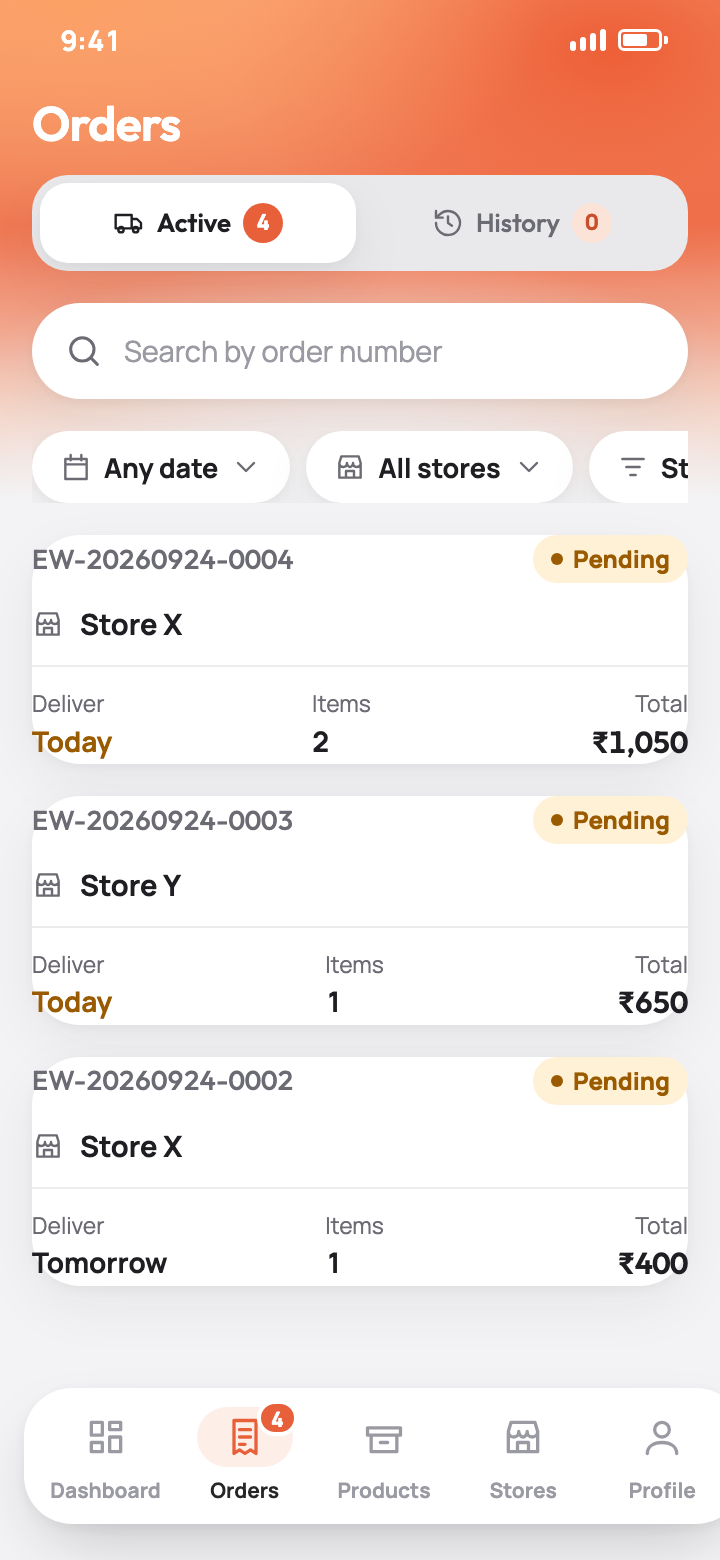
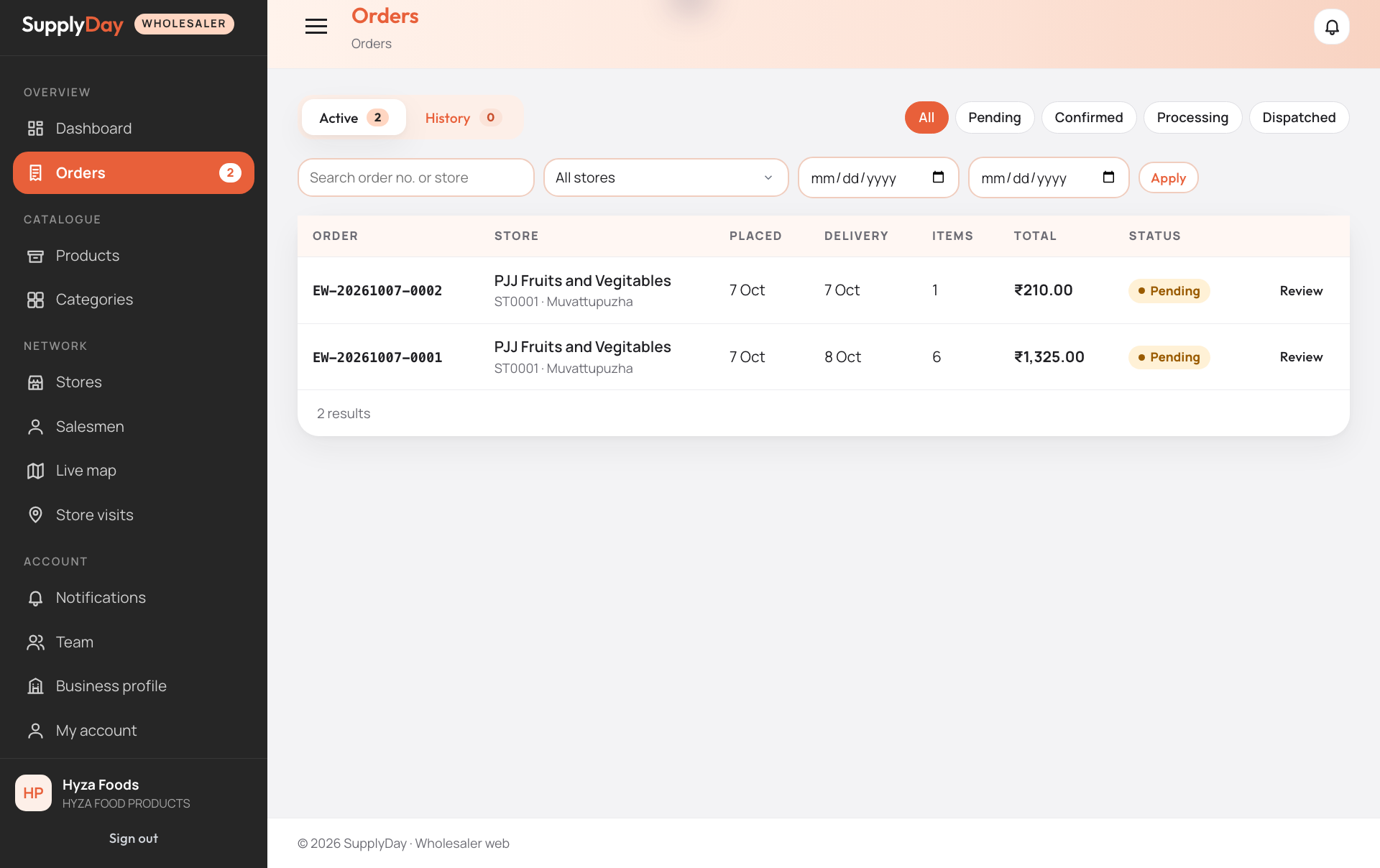
Every order from every store lands in one place, split into Active and History. Open an order to see items, totals and notes, then move it through confirmed, processing, dispatched and delivered, or reject it with a note.

  • Filters by status, order date and store, search by order number
  • Dashboard with today's sales, pending orders and quick actions
  • Notifications for every new order and every salesman visit
Wholesaler dashboard
Orders queue

Catalogue, stores, salesmen and team

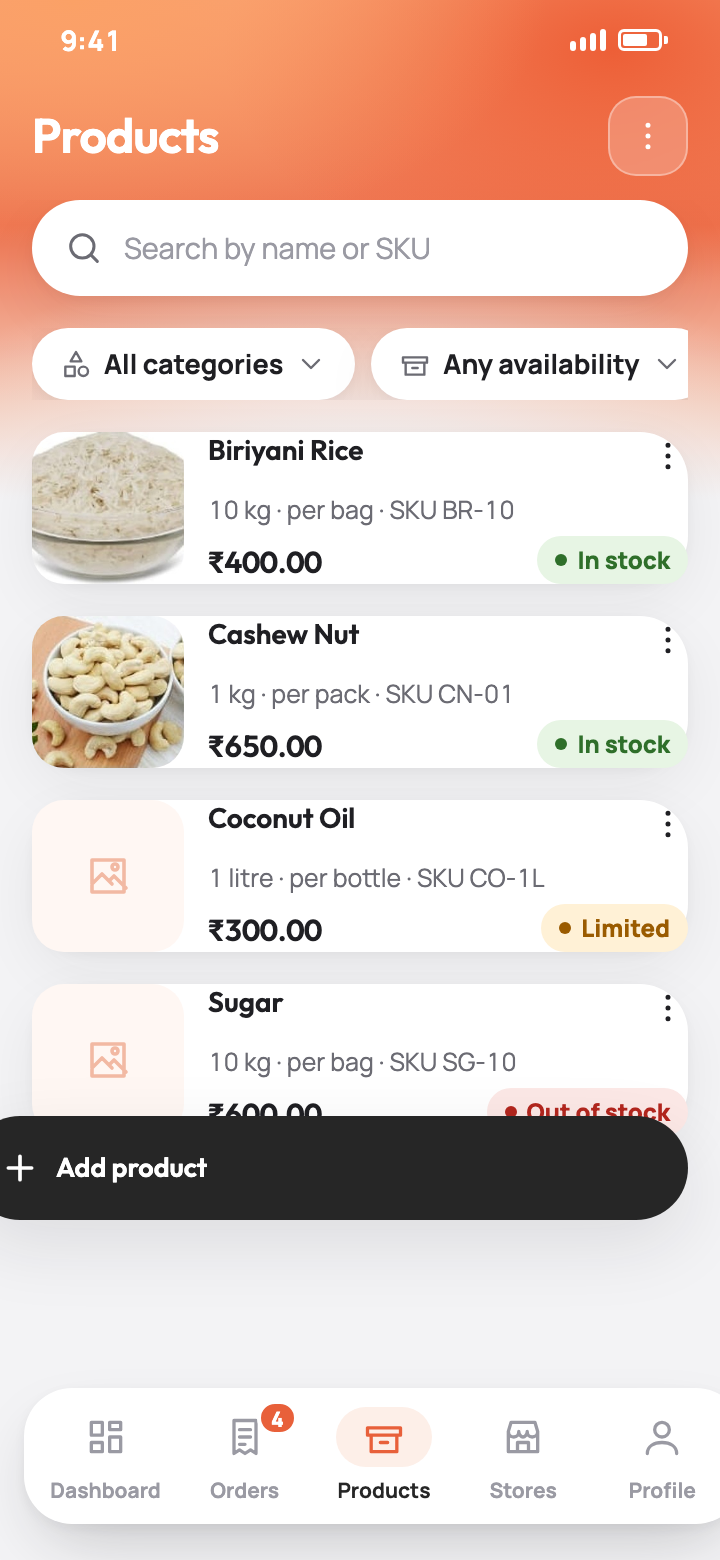
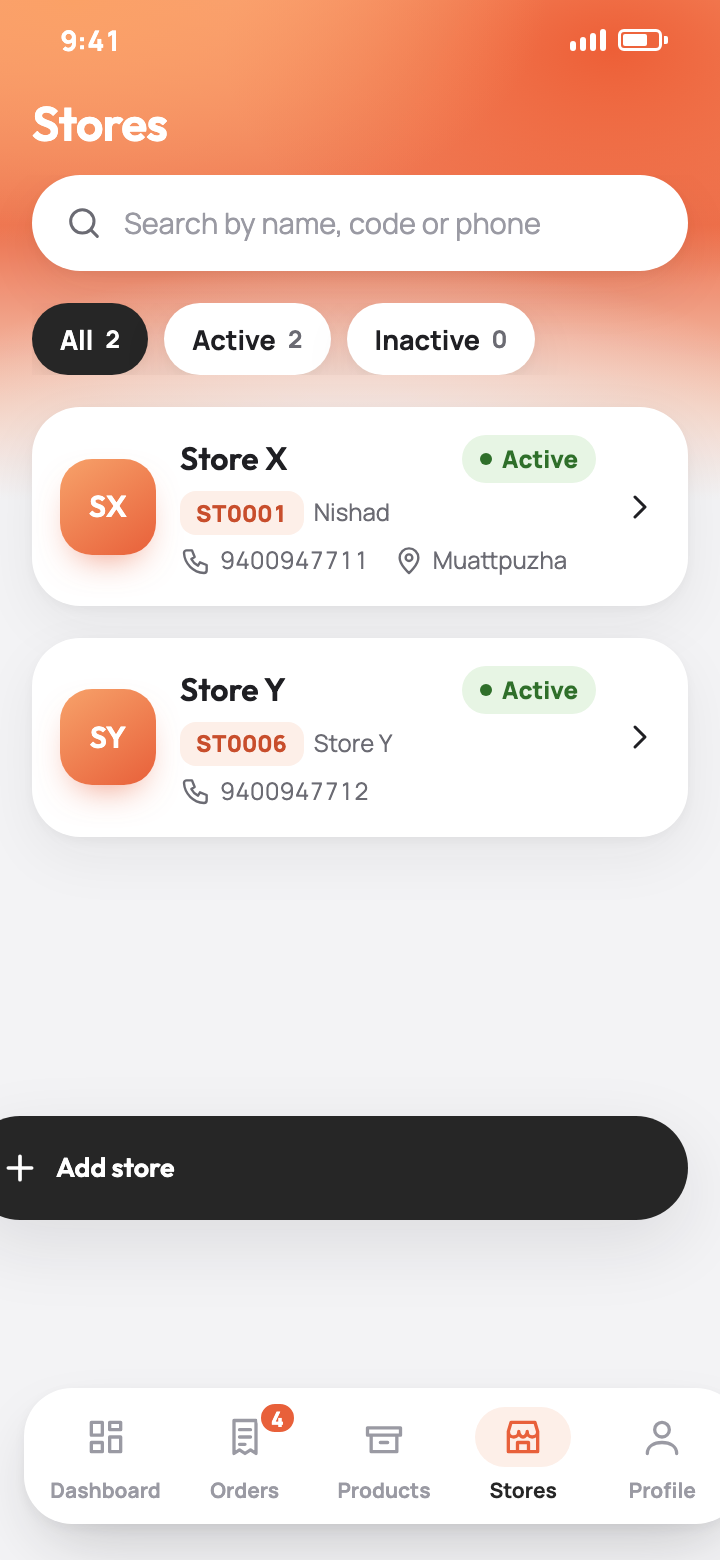
Add products with photos, category, unit and pack size, wholesale price and an optional store selling price. Mark items in stock, limited or out of stock. Create stores with their login or link existing ones by code, add salesmen and choose which stores each may serve, and invite team members who manage the business with you.

  • Quick edits for price and availability
  • Store locations on a map, set by the store or by you
  • Track tab: live map with day trails and the visit log with distance from the store
Products
Stores
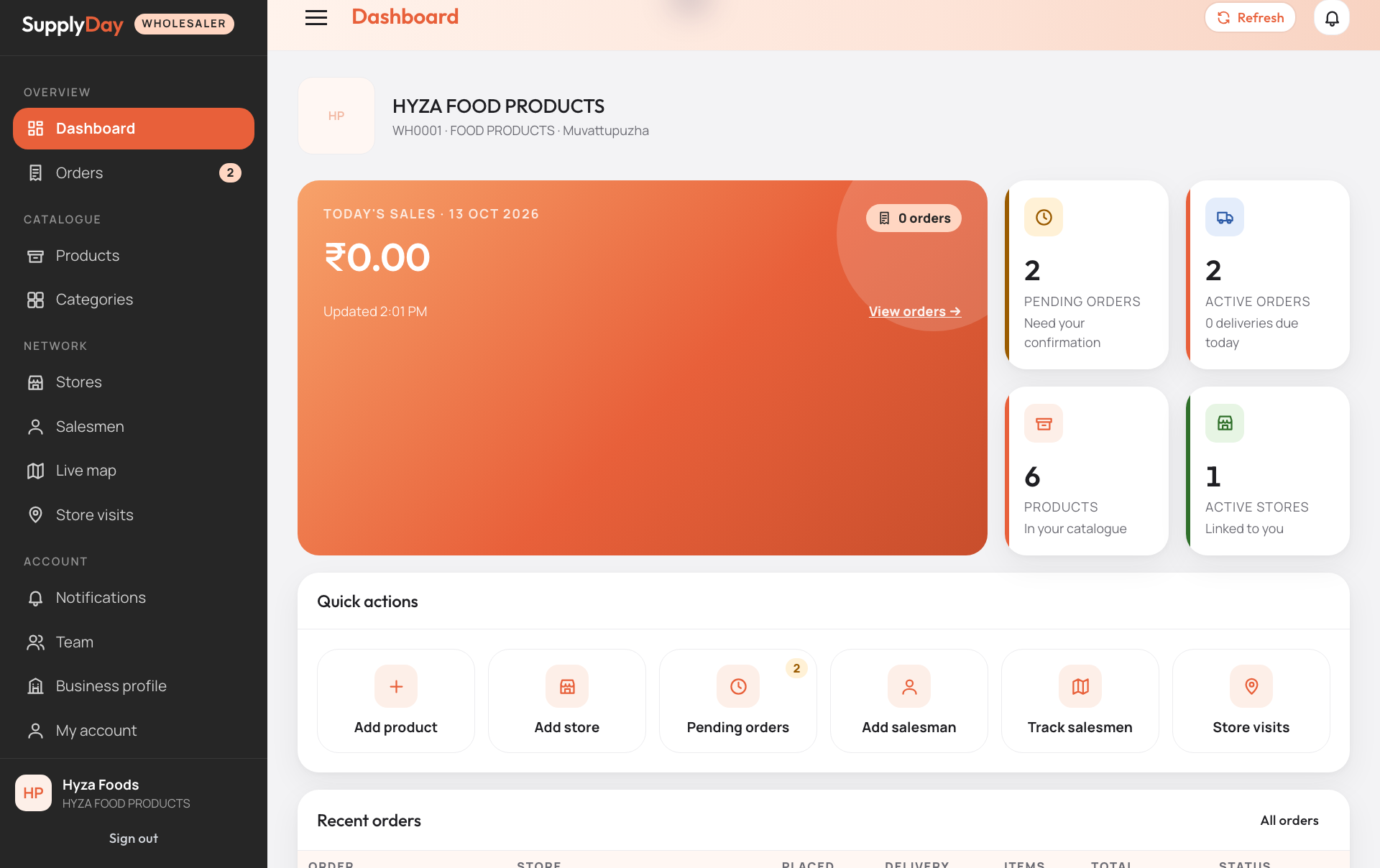
Wholesaler web dashboard

Everything from the app, on a big screen

Sign in with the same wholesaler login in any browser. Process the order queue, maintain the catalogue, manage stores, salesmen and your team, and follow the field team on a live map, with no installation.

Wholesaler web dashboard

Dashboard & orders

Today's sales, pending and active orders, deliveries due today, quick actions. The order list with status chips, store and date filters, and one-click confirm, process, dispatch and deliver.

Order queue and detail

Products, stores & salesmen

Catalogue with inline price and availability edits and image management, store cards with saved locations, salesman logins with store assignment, and the team list for the business owner.

Live salesman map

Live map & store visits

Every salesman's latest position and day trail on Google Maps, refreshed every 30 seconds, plus the visit log with the distance from each store and a bell for new orders and visits.

How a day works

Store orders

The store, or salesman of wholesaler, picks products, sets a delivery date and places the order from the SupplyDay app.

Wholesaler is notified

The order appears in SupplyDay wholesaler app and the web dashboard with a notification. The wholesaler confirms and starts processing.

Dispatch and deliver

Status moves to dispatched and delivered. The store follows every step on its timeline.

Field team visible

Salesmen punch each visit in store; the wholesaler sees the punch in the app and on the web.

Ready to get your wholesalers ordering?

Start with a live demo on seeded data, then a pilot with one wholesaler and its stores.

Request a demo

Contact

Demos, pilots, onboarding and support. We reply within one business day.

✉️

Email

nishad@ewaantech.com

Sales, onboarding and support requests.

WhatsApp

+91 9400947741

Message us on WhatsApp for a demo or quick support.

SupplyDay store app and wholesaler app are available for Android and iOS; the wholesaler web dashboard runs in any modern browser. Accounts are created by the operator or your wholesaler, there is no self sign-up.